
TL;DR:
- 🏓 Let's Connect: Recap our 4.9-rated SF launch event at SPiN & see where we're headed next.
- 🚀 What's New: Introducing MemoryBox v7.6—built for seamless multi-model workflows.
- 💡 In the Wild: How one founder eliminated context fatigue and reclaimed lost build time.
- 🛠️ Did You Know? 3 quick steps to set up side-by-side multi-model chats today.
Let's Connect
Where we’ve been & where we’re meeting up next
It’s been a high-energy month connecting with builders across the globe.
We recently wrapped up our San Francisco gathering at SPIN—and instead of sitting through stiff slides or formal lectures, over 100 of us spent the evening trading ideas, testing out multi-model workflows, and playing ping-pong. The energy in the room was incredible, and the community gave the night a 4.9 rating.
If you weren't able to join us at the tables in SF, we put together a quick recap video so you can catch the vibe:

What’s Next: Shanghai Foundation Model Innovation Center
- August 29 | Shanghai, China
We’re heading to the Shanghai Foundation Model Innovation Center on August 29th for our next community gathering!
If you or your team are in the area and want to join us for live demos, technical discussions, and a chance to meet the team in person, we’d love to see you there.
👉 Interested in attending? Drop a quick email to zhiying.hu@memverge.com to save your spot!
Got questions about upcoming events, feature ideas, or want us to host a meetup in your city? Join us on the MemoryBox Subreddit—we read every post!
What's New
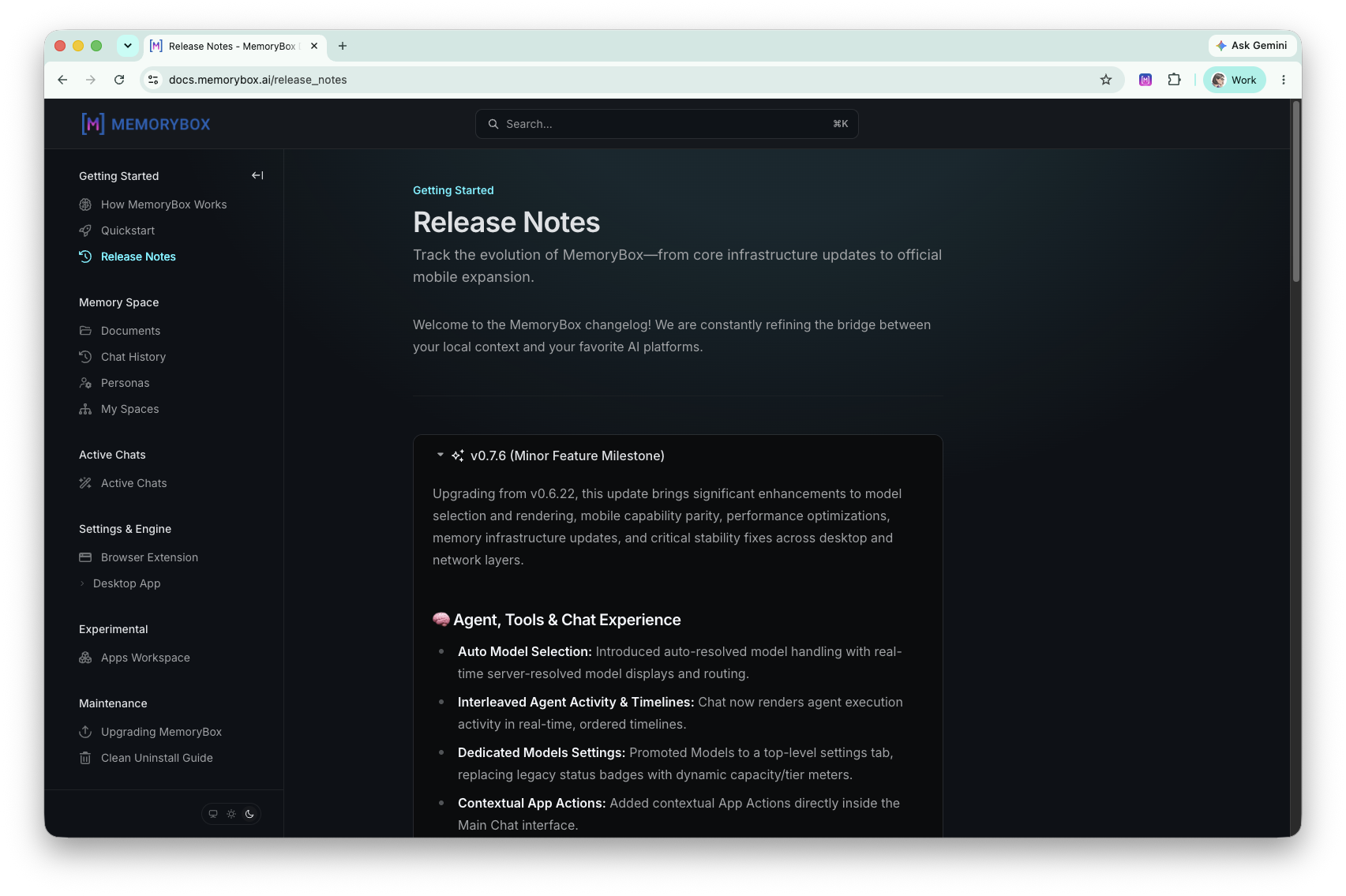
Releases v0.7.6 – v0.8.17: New Models & Smart Token Optimization
Whoa. The digital universe moves fast, and no single model can handle everything perfectly. Sometimes you need heavy-duty flagship reasoning for a hard problem; other times you just need a near-instant reply to keep your flow going.
With our recent updates, we’ve added brand-new flagship models—including Fable 5 and GPT-5.6-sol—to give you even more firepower. Check out our Full List of Available Models in our Docs to see the entire roster.
We’ve also overhauled the Settings → Models tab so you’re in total control:
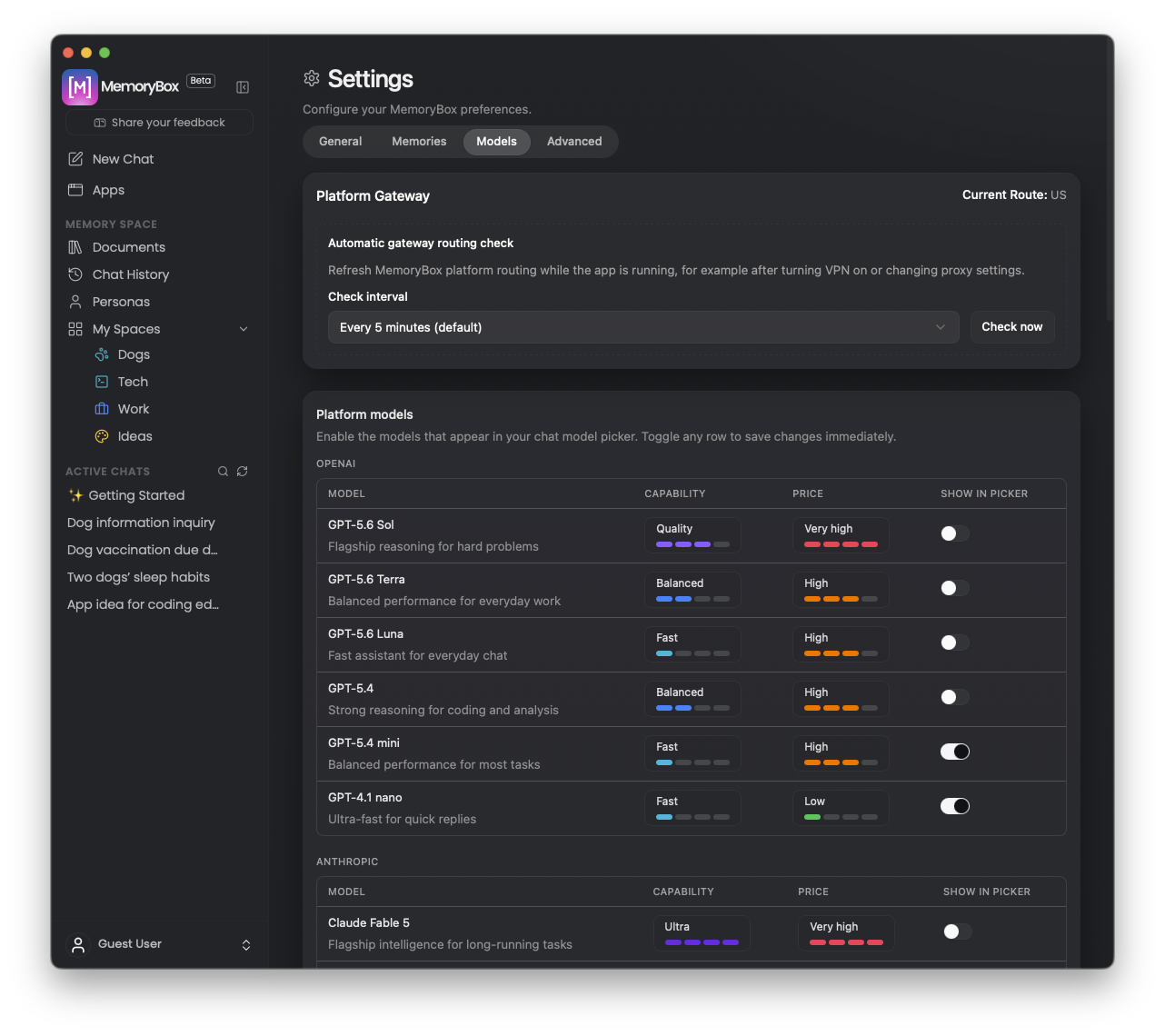
- Curate Your Roster: Easily toggle on the exact models you want in your chat picker - from Claude and Gemini to Fable 5 and GPT-5.6-sol - and hide the rest.
- Bring Your Own Power: Connect custom OpenAI-compatible endpoints with your own API key to run alongside platform models.
- Smart Token Optimization (Auto Mode): Let MemoryBox take the wheel. Auto Mode automatically routes your prompt to the most efficient model for the task, optimizing your token usage on the fly without sacrificing quality.
Fresh Highlights in v0.8.17:
- No-Hassle Document Reading: Dropping big files into your workspace is smoother than ever. We updated how MemoryBox reads and indexes PDFs page by page, so if a document fails to load, the system catches it automatically and fixes the setup in the background.
- Snappier Workspaces: Whether you're juggling ten files or ten thousand, your documents screen won't lag or freeze up. Plus, when you ask multiple models to weigh in on a topic, your conversation history stays clean and organized right where you left it.
- Smarter Background Brains: We ironed out the quirky hiccups behind the scenes. Models like Kimi and Anthropic now replay their internal reasoning steps reliably, so you get solid, consistent answers every time without annoying timeouts.
👉 Read the full release notes & docs
In the Wild
How one founder eliminated "context fatigue" when using multiple AI models
I was chatting with a user named Marcus last week about how he handles his daily workflow, and something he said really stuck with me.
He was working through a complex product spec and trying to leverage three different models at once: ChatGPT for brainstorming, Claude for deep analysis, and Gemini for information retrieval. On paper, it sounds like the ultimate setup. In practice? He was spending half his energy just managing browser tabs.
Every time he wanted to test an idea across models, he had to copy his background notes, log into a different portal, and re-explain the exact same setup from scratch. The moment he tweaked a single requirement, he had to do the edit-copy-paste dance across four tabs all over again.
As Marcus put it: "The smartest tools shouldn't create more work between them."
He calls that friction the "context tax"—that subtle mental drain you feel when you spend more time bringing an AI up to speed than actually thinking through your problem.
When we walked through how he solves this now, he showed me how he anchors his project requirements locally first—things like architectural rules, constraints, and core goals. Once that context is set in one place, he can fire off prompts to multiple models simultaneously without re-typing a single background detail.
It reminded me that the real bottleneck in AI work usually isn't model intelligence—it's context management. When you don't have to keep repeating yourself, you get to stay in your flow state.
How do you handle context when bouncing between different models? Join the discussion on our Reddit community—we'd love to see your setup!
Did You Know?
How to run a multi-model session without the tab chaos
Whenever I talk to power users who work with multiple AI models, I notice two distinct camps.
There’s the "Tab Juggler" camp—constantly copy-pasting back and forth between browser windows. Then there’s the "Orchestrator" camp—people who bring two or three models into the exact same thread to work on a problem together.
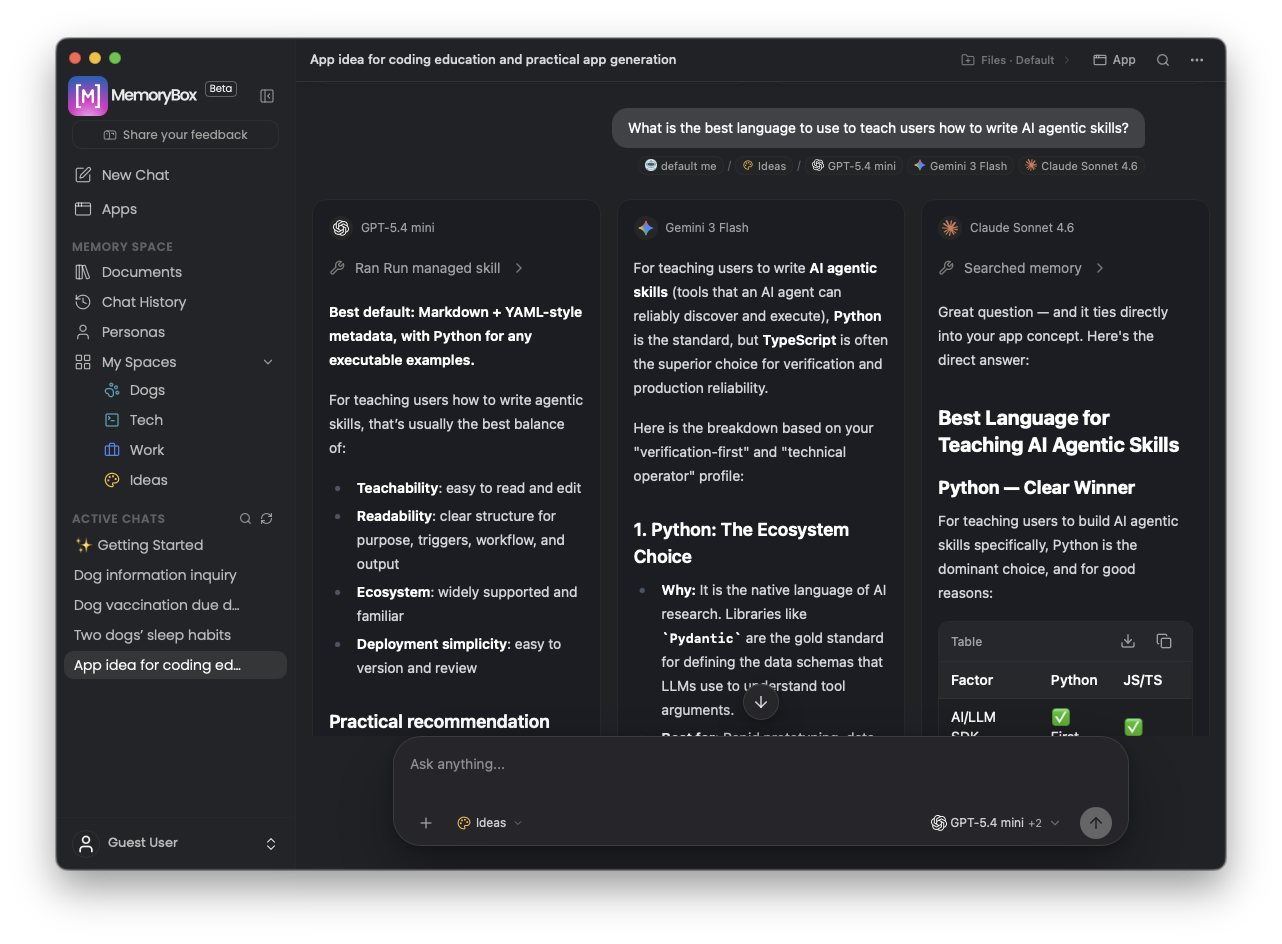
If you’ve ever wanted to try the orchestrator approach, it’s surprisingly easy to set up. Here’s a simple three-step workflow I recommend:
- Ground Your Context First: Before asking any questions, drop your core requirements, rules, and background details into your workspace. That way, every model starts on the exact same page without you having to re-type a thing.
- Assign Specific Roles: Think of your models like team members in a room. Use Claude when you need deep analytical reasoning, Gemini when you’re leaning on massive context, or GPT for fast collaborative drafting.
- Compare Responses Side-by-Side: Send your prompt once and watch the outputs land together. It makes it effortless to spot where the models agree, catch hallucinations, or blend the best parts of two different answers.
Instead of fighting your browser tabs, you get a clean, side-by-side view of how different AI engines think through the same problem.
If you want a step-by-step walkthrough of how to configure this in your workspace, we put together a short guide on Model & Model Comparison Selection in our Docs.
Have you tried running multi-model prompts side-by-side yet? Share your experience on our Reddit page!